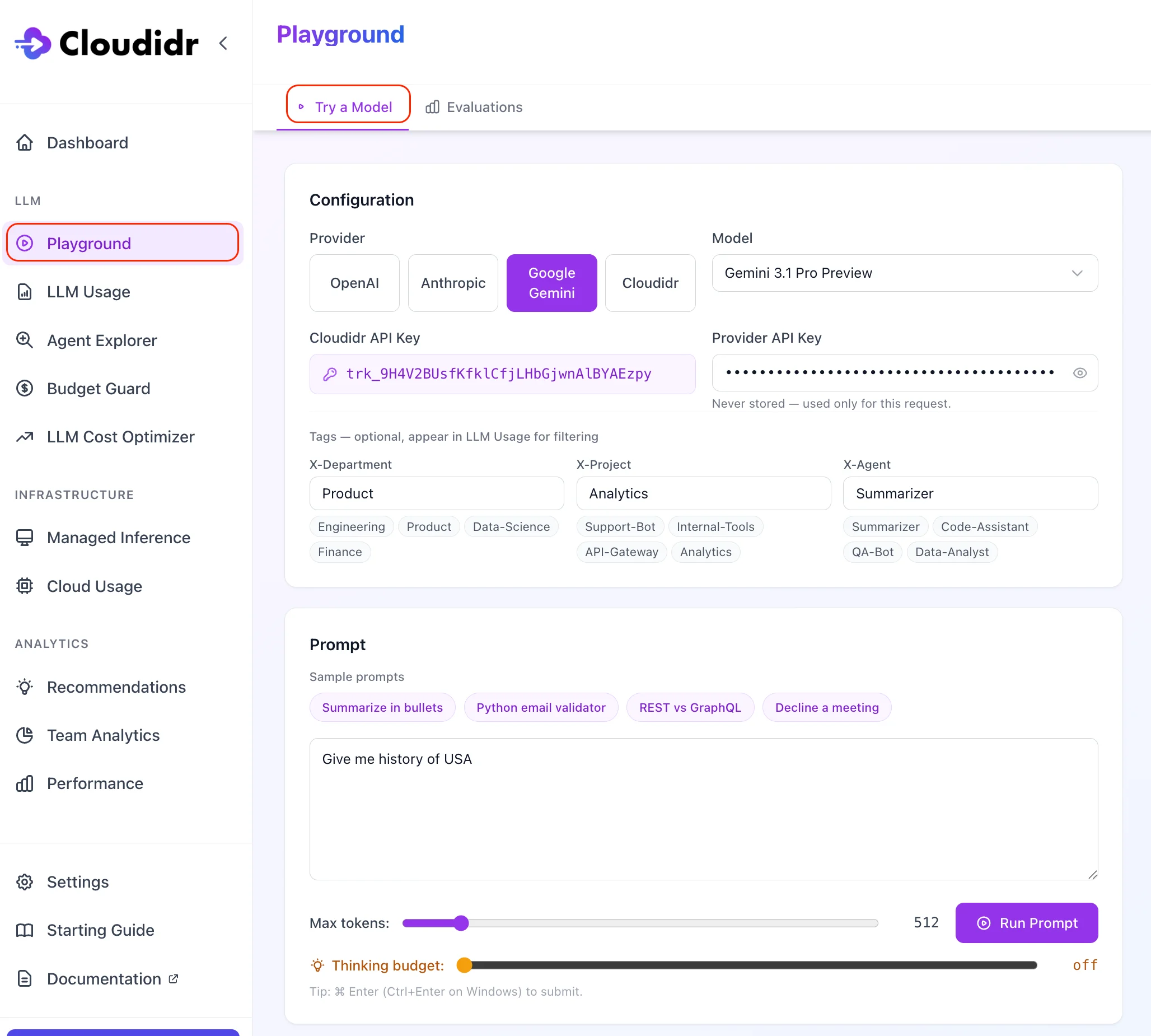
What this tab is for
- Validate that your tracking token and tags work.
- Compare latency and cost across providers or models.
- Try sample prompts or paste your own text.
Configuration
Provider and API key
Choose OpenAI, Anthropic, Google Gemini, or Cloudidr.- Third-party providers (OpenAI, Anthropic, Google): paste your own provider API key. The key is sent with the request and is not stored by Cloudidr.
- Cloudidr: select a managed model (Gemma or Qwen). Uses your Cloudidr tracking token only; Managed Inference credits apply. If your org has no credits, Cloudidr models are blocked with a clear billing message.
Model
Pick a model from the list for the selected provider. Lists are ordered with newer / flagship entries first where applicable.Tracking token (Cloudidr API key)
Pick the default tracking token or choose another active token from the dropdown. This ties the run to your org for usage and billing.Tags (optional)
Optional X-Department, X-Project, and X-Agent values (with sample chips) flow into LLM Usage as dimensions for filtering—same headers as the proxy.